
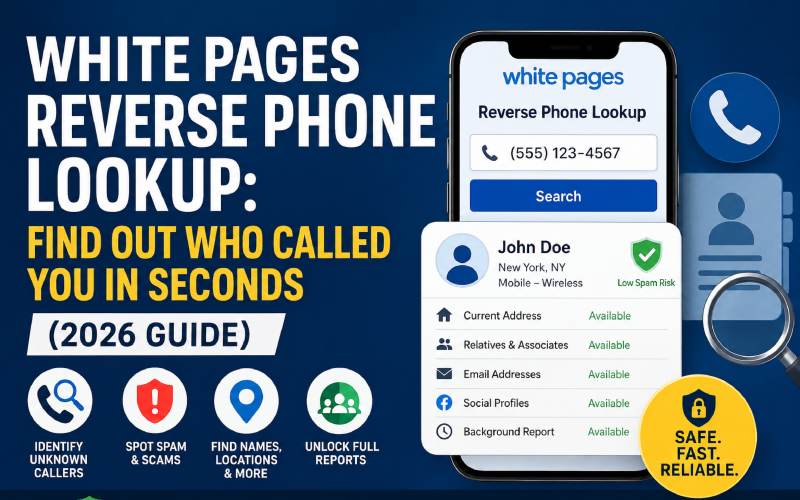
Getting a call from a number you don’t recognize is stressful — is it a scammer, a telemarketer, or someone important? A White Pages reverse phone lookup lets you flip the usual search around: instead of typing in a name to find a number, you type in the number and instantly find out who owns it.
In this guide, you’ll learn exactly how a reverse phone lookup works, what information it can reveal, how to use White Pages step by step, and how to avoid scams and unnecessary charges along the way.
What Is a Reverse Phone Lookup?
A reverse phone lookup is a search method that works backward from a traditional phone directory. Normally, you search by name to get a number. With a reverse lookup, you enter a 10-digit phone number and the service searches public records, carrier data, and user reports to return details about the number’s owner.
White Pages is one of the oldest and most recognized names in this space, covering both landlines and cell phone numbers, which makes it a go-to option for identifying unknown callers.
What Information Can a White Pages Reverse Phone Lookup Show You?
Depending on the number and the depth of the search, results may include:
- Owner’s full name and approximate age
- City, state, or general location
- Carrier or line type (mobile vs. landline)
- Spam or scam risk rating
- Associated social media profiles
- Email addresses on file
- Current and past home addresses
- Known relatives or associated contacts
- Call history reports (if flagged by other users)
Free searches usually reveal basic details — the name and general location — while a full report with addresses, relatives, and background data typically requires a paid subscription.
How to Do a Reverse Phone Lookup on White Pages (Step by Step)
- Go to the White Pages reverse phone search page.
- Enter the 10-digit number, including area code, in the search bar.
- Click Search. The tool checks its database of public records and carrier information.
- Review the preview results. You’ll usually see the name, location, and line type for free.
- Unlock the full report (optional). For details like relatives, past addresses, and background history, you may need to purchase a one-time report or subscribe.
The whole process takes under a minute, which is why reverse lookup tools are so popular for screening unknown calls in real time.
Why People Use Reverse Phone Lookup Tools
- Identify unknown callers before calling back like
- Screen out spam and robocalls without answering
- Verify a business or seller before a transaction (e.g., Craigslist, Marketplace)
- Reconnect with old contacts when you only have their number
- Check who’s texting your kids or family members
- Confirm a number belongs to who it claims to be, reducing scam risk
Free vs. Paid Reverse Phone Lookup: What’s the Difference?
| Feature | Free Search | Paid Report |
|---|---|---|
| Owner’s name | Often shown | Yes |
| General location | Usually shown | Yes |
| Spam risk flag | Sometimes | Yes |
| Full address history | No | Yes |
| Relatives & associates | No | Yes |
| Email / social profiles | No | Yes |
If you just want to know whether to answer a call, the free preview is usually enough. If you need a fuller background picture — for safety, dating, or business verification — a paid report is worth it.
Is White Pages Reverse Phone Lookup Safe and Legal?
Yes, reverse phone lookup is legal in the U.S. because it relies on publicly available records — things like public directories, marketing databases, and user-submitted information — not private or classified data. That said, keep a few safety practices in mind:
- Only use well-known, established services (avoid sketchy pop-up sites promising “instant free results”).
- Never enter payment details on a page that doesn’t clearly explain its pricing.
- Remember that results aren’t always 100% accurate, especially for newer numbers or VoIP lines.
- Use the information responsibly — reverse lookup is for identification, not harassment.
Tips for Choosing the Right Reverse Phone Service
- Check coverage — does it search both landlines and mobile numbers?
- Look for a spam/scam rating feature, which is helpful for screening robocalls.
- Compare pricing — one-time report vs. monthly subscription.
- Read the privacy policy to see how your own search data is stored.
- Check for an app version if you want to screen calls on the go.
Frequently Asked Questions
Is White Pages reverse phone lookup free? Basic results (name and location) are often free, but detailed background reports usually require payment.
Can I look up a cell phone number, not just a landline? Yes. Modern reverse lookup tools, including White Pages, cover both cell phones and landlines.
Why didn’t the lookup return any results? Some numbers — especially new numbers, VoIP lines, or unlisted numbers — may not appear in public records databases.
Is it legal to look up someone’s phone number? Yes, as long as the lookup relies on publicly available information and isn’t used for stalking, harassment, or illegal purposes.
Final Thoughts
A White Pages reverse phone lookup is one of the fastest ways to put a name to an unknown number, screen out spam calls, and stay a step ahead of scammers. Start with a free search to get the basics, and upgrade to a full report only if you need deeper background details.