
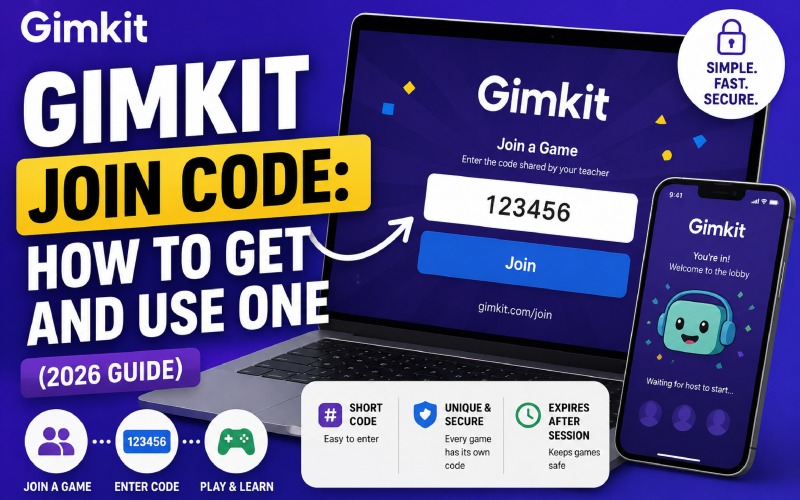
Your teacher just launched a Gimkit game. Everyone around you has already joined. You stare at gimkit.com/join and have no idea what to type. That confusion costs you time and learning.
Missing even the first two minutes of a Gimkit session means fewer questions answered, fewer virtual coins earned, and a real dip in your final score.
This guide solves that. You will know exactly what a Gimkit join code is, where to get one, how to enter it, and how to host your own session — in less time than it takes to sharpen a pencil. For a broader look at how modern EdTech tools stack up, see our Ahrefs Backlink Checker review and digital tool analysis.
What Is a Gimkit Join Code?
A Gimkit join code is a short numeric or alphanumeric string that a teacher or host generates the moment they launch a live game session. Students enter this code at gimkit.com/join to land directly inside that specific game lobby.
Every code is unique to a single session. Once the host closes the game, the code expires permanently. No two sessions share the same code, which keeps classrooms secure and prevents uninvited participants from crashing a lesson.
Think of the code like a concert ticket barcode — it unlocks one door, for one show, on one night only.
How to Join a Gimkit Game Using a Join Code
Joining takes under 60 seconds. Follow these steps exactly.
- Open a browser and go to gimkit.com/join.
- Type the join code your teacher shared into the code field.
- Hit the Join button.
- Enter your nickname — no email address required.
- Wait in the lobby until the host starts the session.
Alternative Ways to Join Without Typing a Code
Gimkit offers two faster entry methods that teachers can enable alongside the manual code:
- QR Code: Your teacher can display a QR code on a projector. Scan it with your phone camera and the app redirects you straight to the join screen.
- Direct Link: The host can copy a shareable URL from their dashboard and paste it into a class chat, email, or LMS. One click drops you into the lobby.
- Class Join Link (for assignment mode): Teachers using Gimkit’s assignment feature can share a permanent class link through their school LMS.
How to Get a Gimkit Join Code as a Teacher or Host
Hosts generate join codes automatically when they start a live game. No separate step is needed.
- Sign in to your account at gimkit.com.
- Open a Kit (question set) from your dashboard.
- Click Play Live.
- Select a game mode (Classic, Trust No One, Snowy Survival, etc.).
- Click Host Now. Gimkit instantly generates a six-digit join code and displays it on screen.
- Share the code with students verbally, on the board, via QR code, or through a direct link.
The code appears prominently at the top of the game lobby. Students see the same code on the host screen, which you project for the class.
Types of Gimkit Codes: A Complete Comparison
Not every Gimkit code works the same way. The table below maps each code type to its use case, lifespan, and who needs it.
| Code Type | Who Uses It | How Long It Lasts | Where to Enter It | Purpose |
| Live Game Join Code | Students joining a live session | Active session only — expires when game ends | gimkit.com/join | Join a real-time classroom game |
| Assignment Code | Students completing homework | Until assignment deadline set by teacher | gimkit.com/join or direct link | Async homework or self-paced review |
| Gimkit Creative Game ID | Anyone exploring user-built maps | Indefinite — as long as creator keeps game online | gimkit.com/join | Play community-created Gimkit Creative games |
| Class Invitation Link | New students joining a class roster | Until teacher deactivates it | Link in school LMS or email | Add yourself to a teacher’s class for ongoing access |
Why Gimkit Join Codes Expire: The Security Logic
Session-specific codes are a deliberate privacy safeguard. Because Gimkit collects only a student nickname during a live game — no email, no password, no personal data — the join code acts as the sole access gate.
When a code expires at session end, it cuts off any possibility of someone replaying the game link days later or logging participant data retroactively. This design directly supports Gimkit’s compliance with the Children’s Online Privacy Protection Act (COPPA) and the Family Educational Rights and Privacy Act (FERPA).
According to Gimkit’s official Terms of Service at gimkit.com/terms-of-service, educators act as agents for parental consent when enrolling students, and student data is handled exclusively for educational purposes. For a deeper look at how digital compliance protects real users, see our piece on choosing the right home elevator for your house — another example of how technical decisions shape user safety.
Gimkit also meets data privacy requirements for some of the most stringent U.S. states, including California, Texas, Georgia, North Carolina, and New York, per its official help documentation.
The Science Behind Why Gimkit Works: What the Research Says
The join code is your entry point into a platform backed by serious educational research. Understanding why the game format matters will help you use it more intentionally.
A 2024 meta-analysis indexed in ERIC (EJ1452851) examined 38 studies and found that gamification produced significantly positive effects on student learning achievement, with moderate-to-large effect sizes across cognitive, motivational, and social outcomes compared with traditional instruction.
A separate 2024 meta-analysis published in MDPI Education Sciences (following PRISMA guidelines across Web of Science and Scopus) reported a very strong, statistically significant positive effect of game-based learning on motivation, self-efficacy, and academic performance (Z = 6.29; p < .001).
Gimkit’s core mechanic — students earn virtual currency for correct answers and spend it on in-game power-ups — directly activates the self-determination theory loops that these studies identify as drivers of intrinsic motivation: competence, autonomy, and social relatedness.
Gimkit vs. Other Classroom Game Platforms: Feature Snapshot
Teachers often ask how Gimkit’s join flow and overall feature set compare to alternative platforms. The table below uses verified, publicly available information.
| Feature | Gimkit | Kahoot | Blooket | Quizizz (Wayground) |
| Join Method | Code at gimkit.com/join, QR code, direct link | Game PIN on kahoot.it | Game code on blooket.com | Code or link |
| Code Lifespan | Session only (live); deadline-based (assignment) | Session only | Session only | Session or assigned window |
| Free Player Limit | Unlimited for students | Up to 10 (free tier) | Unlimited | Unlimited |
| In-Game Economy | Yes — earn & spend virtual currency | No | Yes | Limited |
| Privacy (COPPA/FERPA) | Yes (official compliance) | Yes | Yes | Yes |
| QR Code Join | Yes | Yes | No | Yes |
| Async Assignment Mode | Yes | Limited | Yes | Yes (core feature) |
Source: Gimkit Terms of Service, Kahoot public pricing page, Blooket official site, Quizizz/Wayground product page, and plisio.net Gimkit review (May 2026).
Common Reasons a Gimkit Join Code Stops Working
Students encounter two main failure points when a code does not work. Both have straightforward fixes.
The Code Has Expired
Live game codes expire the instant the host ends the session. If your teacher has already closed the game, the code no longer functions. Ask your teacher to start a new session or check whether they set up an assignment with a dedicated assignment code.
Typos in the Code
Gimkit generates numeric codes. The digits 0 and 8, and 1 and 7, look similar on a projected screen. Double-check each character before hitting Join. When possible, ask your teacher to share the QR code or direct link instead, which eliminates manual entry errors entirely.
Wrong Join Page
Always use gimkit.com/join — not a third-party site, not a fan wiki, and not any site promising codes that ‘always work.’ Codes from unofficial sources do not function. They represent either expired sessions shared publicly or outright scams designed to harvest clicks.
The Truth About ‘Free Gimkit Codes’ and Code Generators
Dozens of websites claim to offer active Gimkit join codes, infinite coin generators, or permanent unlock codes. This claim is technically impossible for a single reason: every live join code ties to an active session on Gimkit’s servers. No code exists without a host running a game right now.
Sites promising random Gimkit join codes cannot generate valid entries. A valid code requires a logged-in Gimkit host to press Host Now. Any site claiming otherwise is directing you to expired session IDs or fabricated strings that will return an error at gimkit.com/join.
Attempts to use unauthorized cheat codes or bot scripts violate Gimkit’s Terms of Service and can result in an account ban. The only legitimate sources for a working join code are:
- Your teacher or class host, live during a session.
- A Gimkit Creative Game ID shared by the creator of a community-built map.
- Your own host dashboard when you launch a personal game.
How Teachers Can Use Join Codes Strategically to Maximize Engagement
The join code moment is often treated as pure logistics. Smart teachers treat it as a pedagogical tool.
Use QR Codes to Cut Setup Time
Displaying a QR code on the projector reduces the time between ‘class starts’ and ‘all students are in the game’ from two minutes to under 20 seconds. That recovered time translates directly into more rounds played and more questions answered per student.
Post Assignment Codes Inside Your LMS
For homework sessions, paste the assignment link directly into your Google Classroom, Canvas, or Schoology post. Students skip the code-entry screen entirely, which removes one more friction point for students who tend to procrastinate on digital homework.
Rotate Game Modes Across Join Sessions
Because each new join code opens a fresh session, you can run the same question set in Classic mode one week and Trust No One the next. The rotating format prevents answer memorization and forces retrieval practice across different competitive structures.
Link Real Learning Goals to Specific Sessions
Before sharing a code, tell students the specific standard or learning objective the session covers. Research consistently shows that students who know the purpose of an activity before starting demonstrate higher metacognitive engagement than those given a task without context.
For educators exploring additional digital tools that sit alongside Gimkit in a blended classroom, our BitClassic Applewhite review covers what teachers and students should know before committing to any new platform subscription.
Step-by-Step: Host Your First Gimkit Session (Under 3 Minutes)
First-time hosts often spend more time searching for setup instructions than the setup actually takes. Here is the entire process.
- Go to gimkit.com and sign up for a free account.
- Select a Kit from the Discover tab or create your own using the Kits menu.
- Click Play Live on the Kit.
- Choose a game mode. Classic is the best starting point for new hosts.
- Set any optional rules (question limit, time limit, team mode).
- Click Host. Your six-digit join code appears at the top of the lobby screen.
- Share the code — verbally, via QR, or through a direct link.
- Click Start when enough students have joined.
Free accounts support unlimited student participants, unlimited game sessions, and access to community-created Kits. Teachers pay for the Pro plan only if they need features such as assignments, advanced reports, or additional game modes.
Key Takeaways
- A Gimkit join code is a session-specific numeric string generated by a host at the moment they launch a live game.
- Students enter codes at gimkit.com/join — no account required for live sessions.
- Codes expire when the session ends; no third-party site can generate a working code.
- Hosts can also share QR codes and direct links to eliminate manual entry friction.
- Gimkit complies with COPPA and FERPA; student data is limited to a nickname during live play.
- Research across multiple 2024 meta-analyses confirms game-based learning produces significant positive effects on achievement and motivation.
Primary Sources & References
- Gimkit Terms of Service — gimkit.com/terms-of-service
- ERIC EJ1452851 — Meta-Analysis on the Effectiveness of Gamification on Student Learning Achievement, International Journal of Education in Mathematics, Science and Technology (2024) — eric.ed.gov/?id=EJ1452851
- MDPI Education Sciences — The Impact of Game-Based Learning on Motivation, Self-Efficacy, and Academic Achievement in the Natural Sciences: A Meta-Analysis (2026) — mdpi.com/2227-7102/16/1/122
- Gimkit Official Help Documentation — help.gimkit.com
- Barz et al. (2024) — Digital Game-Based Learning Interventions on Cognitive, Metacognitive, and Affective-Motivational Learning Outcomes, SAGE Journals — doi.org/10.3102/00346543231167795